Non-exempt (hourly) employees must submit their hours worked in Oracle for each pay period. A submitted time card is sent to the employee’s line manager for approval. The time card must be approved in order to be processed for payroll.

Instructions
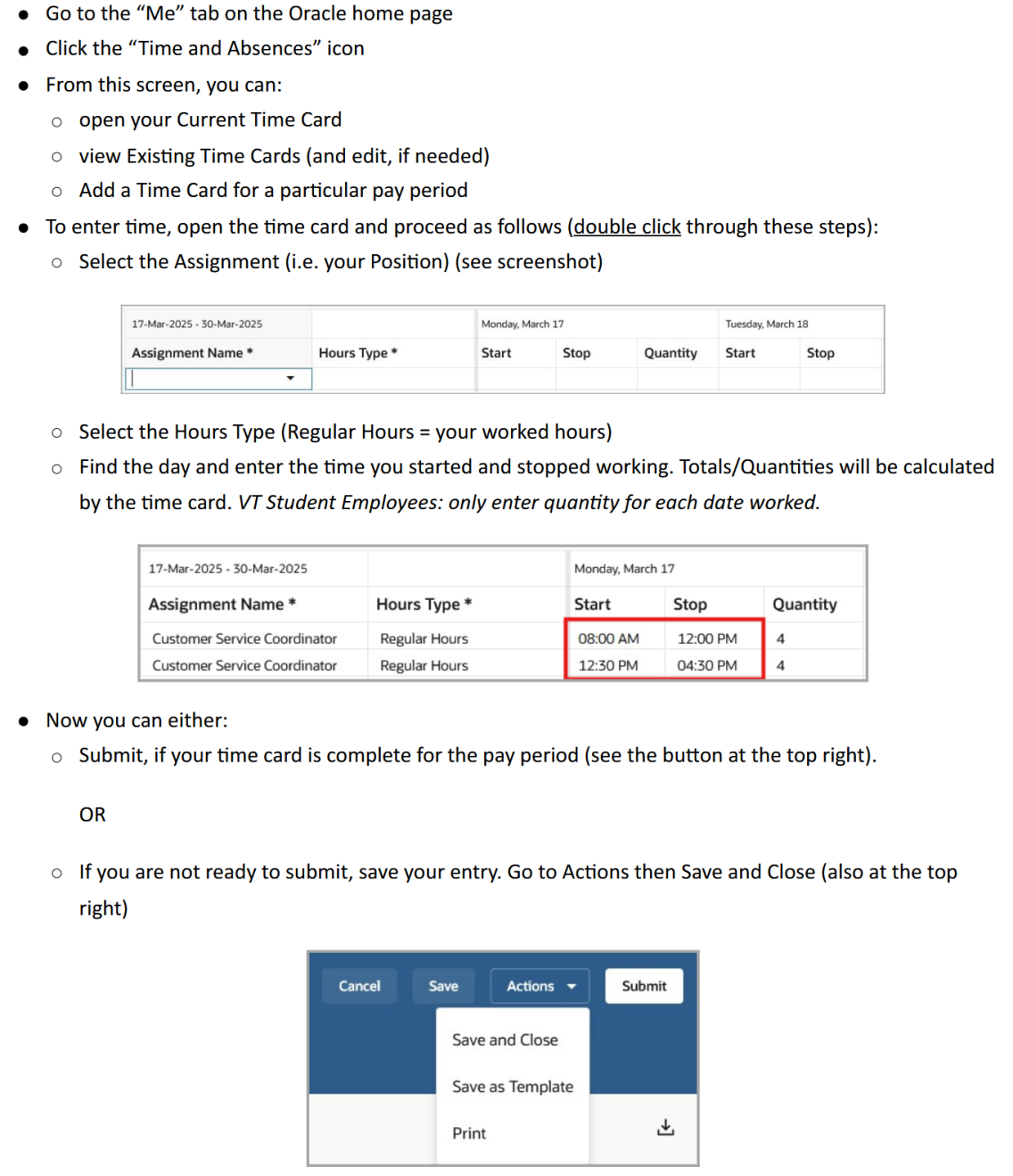
Go to the “Me” tab on the Oracle home page Click the “Time and Absences” icon From this screen, you can: open your Current Time Card view Existing Time Cards (and edit, if needed) Add a Time Card for a particular pay period To enter time, open the time card and proceed as follows (double click through these steps): Select the Assignment (i.e. your Position) (see screenshot) Select the Hours Type (Regular Hours = your worked hours) Find the day and enter the time you started and stopped working. Totals/Quant

For guidance on holiday time entry, please refer to go/holidays/.

Absences (e.g. CTO, SLR) are submitted separately. Refer to our Absence Management page.